
impactor
hub
Manage 5 To 250 Client MT5/MT4 Accounts From A Single Dashboard. Copy Every Trade From Your Master Account — Placed By Hand, By metatrader, Or From TradingView And Telegram , And Give Each Client Their Own Portal. All From Your Impactor Hub
The Command Center for Signal Providers & Fund Managers
Your clients never need a TradingView subscription
Who Is It For?
Signal Providers
Run a TradingView strategy or provide telegram signals and sell access to your signals. One master webhook → all subscribers execute automatically. No manual forwarding.
Fund Managers
Manage capital across multiple client accounts. Dispatch trades centrally, monitor per-account delivery, review each client's full trade history.
Copy Trade Operators
Trade Your Master Account Any Way You Like — By Hand In MT4/MT5, With Your Own EA, Or From A TradingView Alert. PineChord Relays Every Open, Close, Partial Close And Stop Change To All Follower Accounts In About A Second.
Key Features
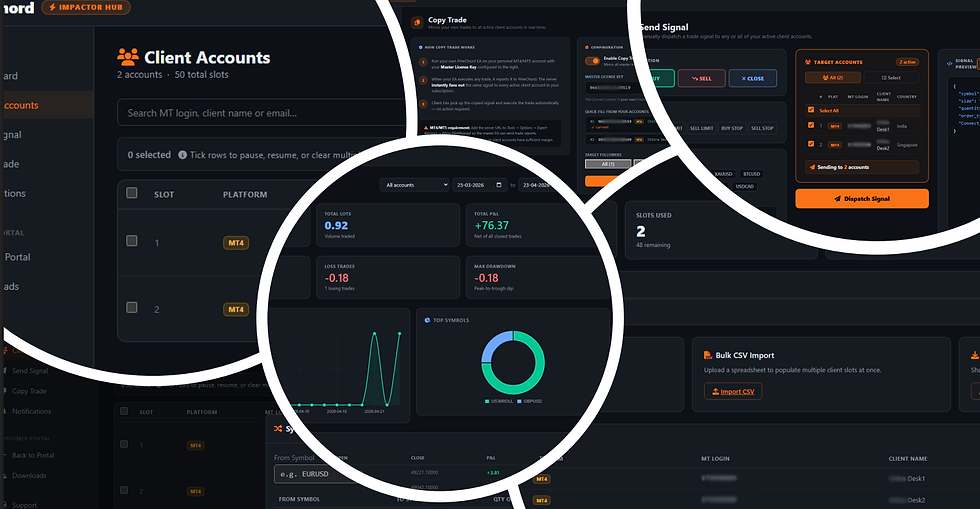
Add up to 250 client MT account slots. Store name, email, mobile, country, MT login ID, platform. Pause, resume, or remove at any time. Bulk CSV import bulk pause/resume for large rosters.
Client Account Management
Each client account can have its own symbol map and lot size override per symbol. Perfect for clients at different brokers or with different capital allocations.
Per-Account Symbol & Lot Remapping
Fire a trade to any or all client accounts directly from the browser — no TradingView needed. Live delivery tracker shows per-account confirmation in real time.
Telegram Signal or Manual Signal Dispatch (Send Signal)
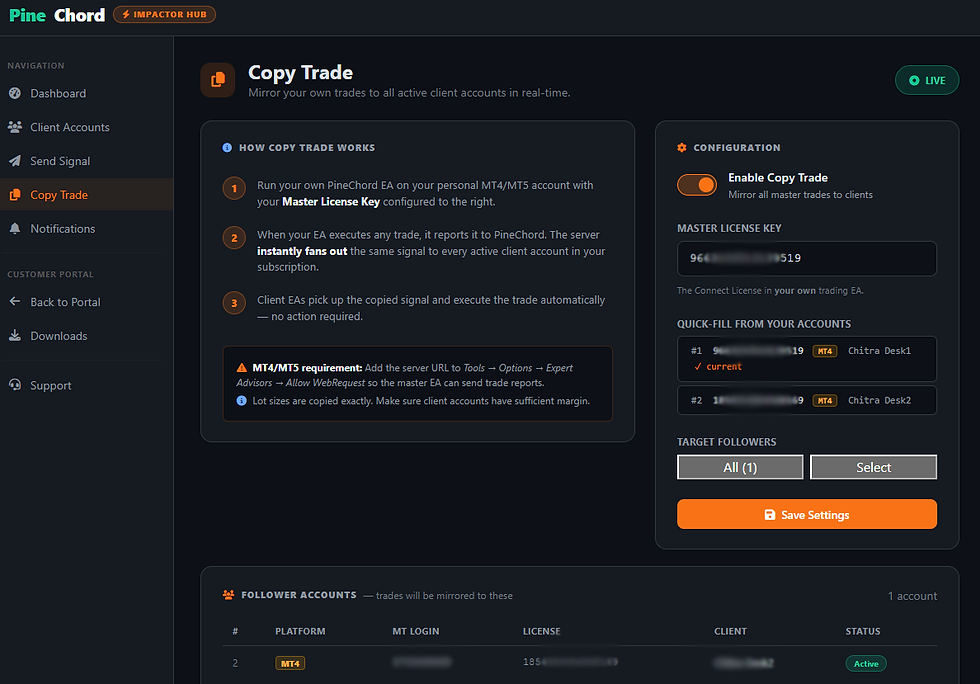
Set a master license key. Every TradingView signal, Telegram Signal or MT4/MT5 Signal on that account is instantly copied to all follower accounts — opens AND closes. Target all or selected accounts.
Copy Trading From Any Trade On Your Master Account
Click Buy Or Sell In MetaTrader And Your Followers Get The Same Trade With Your Stop Loss And Take Profit. Close Half Your Position And Every Follower Closes Half Of Theirs. Move Your Stop To Breakeven And Their Stops Move Too. Hedging-Safe: Closing Your Buy Never Touches A Follower's Sell. A Live Master Activity Feed Shows Every Relayed Trade And How Many Accounts It Reached.
MT4/MT5 Trade Copier — No TradingView Needed
Generate a 7-day magic invite link for each slot. Client registers their own portal account, downloads the EA, views their own signal & trade history. You manage allocations; they self-serve.
Client Invite Portal
Signal delivery log, trade execution history, P&L, win rate — per client. Exportable to CSV. Full audit trail on all account changes.
Per-Account Analytics
the built-in Impactor copy-trade hub, only you run TradingView. Your followers just connect a funded broker account with the EA or Bridge and receive your trades automatically — no TradingView, Pine scripts, or charts on their side. (Each client still needs a funded broker/MT account and the EA or Bridge running.)
Your clients never need a TradingView subscription




GETTING STARTED — 5 STEPS
1
Sign Up for Impactor Trial
Free, 7 days, no credit card. Access the full Impactor Hub with 5 client slots.
2
Add Client Accounts
Enter each client's MT Login ID and platform, or bulk-import via CSV.
3
Configure Copy Trading
Paste your master license key, enable fan-out, choose all or selected accounts.
4
Or Dispatch Manually
Go to Send Signal, pick symbol + direction + lot size, fire to all or selected accounts.
5
Invite Your Clients
Generate a portal invite link for each slot so clients can self-manage their EA.
FAQ
Yes — a single EA on their MT4 or MT5. Setup is under 5 minutes.
Do my subscribers need to install anything?
No. They just install the EA with the license key you issued them. You own the relationship.
Do subscribers need a PineChord account?
What if I pause a subscriber — do they know?
They can see their account status in their subscriber portal. You can pause for non-payment, drawdown control, or testing without any awkward messaging.
Never. Each subscriber only sees their own account.
Can subscribers see my other clients?
Can I charge my subscribers directly?
Yes. PineChord charges you for the Impactor tier. You charge your subscribers. PineChord stays out of your revenue.
PineChord queues signals for up to 60 seconds and retries on reconnect. Your subscriber dashboards show EA status live.
What happens if my EA or VPS goes down?
Do I need to know Pine Script?
No. Any TradingView alert works — drawing tools, indicators, strategies, manual alerts, or Pine Script.
Can I copy trades I place manually in MT4 or MT5?
Yes. Attach the PineChord EA to your master account with Master mode switched on. Every position you open, close, part-close or re-stop by hand is relayed to your followers in about a second.
Does it copy trades from other expert advisors on my master account?
Yes. Any trade on the master account that PineChord did not place itself is copied, whichever EA or script placed it. TradingView and Telegram signals routed through PineChord are copied.
Are trades that were already open when I switch Master mode on copied?
No. Only trades from that point on, so followers always have a matching entry.